
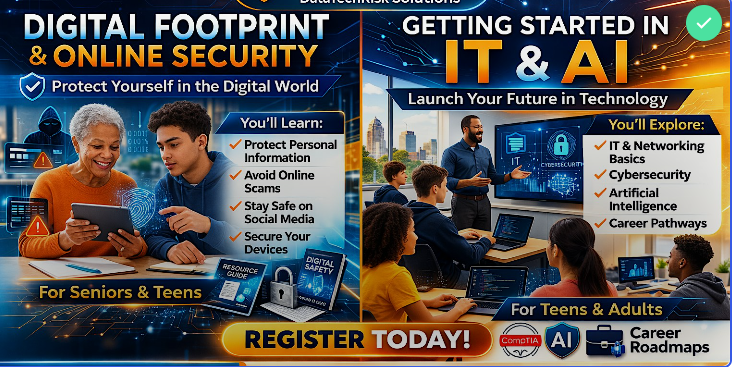
 Image 1 of 2
 Image 2 of 2
Getting Started in IT & AI Workshop
Exploring Careers, Skills, and Opportunities in Technology
Technology is transforming every industry, creating new career opportunities in Information Technology (IT), Artificial Intelligence (AI), cybersecurity, and digital services. This interactive workshop introduces participants to the fundamentals of IT and AI, helping them understand career pathways, required skills, and practical steps to get started.
Participants will explore how technology works behind the scenes and learn how AI tools can support productivity, business operations, and everyday life.
No prior technical experience required.
Workshop Agenda
1. Welcome & Introduction (10 minutes)
Instructor introduction and workshop overview
Understanding today’s technology-driven economy
Why IT and AI skills are valuable across industries
Overview of technology career opportunities
Quick Activity:
Participants complete a short QR code survey to assess current technology experience and interests.
2. Understanding the IT Industry (20 minutes)
Participants learn how the IT field is structured and where entry-level opportunities exist.
Topics Covered:
What Information Technology includes
Key areas of IT:
Technical support
Networking
Cybersecurity
Cloud computing
Software development
Types of organizations that hire IT professionals
Typical entry-level roles in technology
Discussion:
What technology jobs exist in your community?
3. Introduction to Artificial Intelligence (20 minutes)
Participants learn how AI works and how it is used in everyday applications.
Topics Covered:
What Artificial Intelligence is
Examples of AI used in everyday life
AI tools for productivity and creativity
AI in business, healthcare, education, and government
Responsible use of AI
Live Demonstration:
Using an AI tool to generate content, analyze information, or automate tasks.
4. Exploring Technology Career Pathways (20 minutes)
Participants learn about career paths and certifications in IT and AI.
Topics Covered:
Entry-level IT roles
Career progression in technology
Industry certifications
Technical vs non-technical tech careers
Freelance and remote work opportunities
Examples of Entry-Level Paths:
Help Desk Technician
IT Support Specialist
Cybersecurity Analyst
Data Analyst
Cloud Support Associate
5. Essential Skills for IT & AI Careers (20 minutes)
Participants explore the foundational skills needed for technology careers.
Topics Covered:
Problem-solving and critical thinking
Digital literacy
Networking fundamentals
Basic cybersecurity awareness
Communication skills in technology roles
Hands-On Activity:
Participants identify their current skills and areas for growth.
6. Tools and Platforms Used in Technology (20 minutes)
Participants get an overview of tools commonly used by IT professionals.
Topics Covered:
Operating systems and troubleshooting tools
Cloud platforms
AI productivity tools
Collaboration and project management tools
Remote support technologies
Demonstration:
Examples of simple tools used by IT professionals.
7. Getting Started with Learning IT & AI (15 minutes)
Participants learn practical steps to begin building technology skills.
Topics Covered:
Free and low-cost training resources
Online learning platforms
Practice labs and simulations
Building a technology portfolio
Preparing for entry-level certifications
8. Building Your Technology Career Plan (15 minutes)
Participants create a basic plan for entering the technology field.
Topics Covered:
Setting learning goals
Identifying certifications
Building experience through projects
Networking and professional development
Exercise:
Participants outline their personal technology learning roadmap.
9. Questions & Open Discussion (10 minutes)
Participants can ask questions about:
Starting a career in IT
Training options
Certifications
AI tools and careers
Freelance or remote tech opportunities
10. Workshop Feedback Survey (5 minutes)
Participants complete a QR code survey to provide feedback on the workshop.
What Participants Will Leave With
✔ A clear understanding of IT and AI career opportunities
✔ Knowledge of entry-level technology roles
✔ Practical steps to begin learning IT skills
✔ Exposure to AI tools and applications
✔ A personal Technology Career Roadmap
Who Should Attend
This workshop is ideal for:
Students exploring technology careers
Individuals considering a career change
Job seekers interested in IT
Small business owners learning about AI tools
Community members interested in technology
No prior experience required.
Workshop Format
Interactive presentation
Demonstrations of real technology tools
Guided exercises
Career exploration discussion
Live Q&A
Instructor
Jennell Hartford
Principal, DataTechRisk Solutions (DTRS)
Providing community-focused training in information technology, cybersecurity awareness, and digital skills development.